


Asus ExpertBook P3 review: Enterprise-focused Windows 11 laptop on budget
The Asus ExpertBook P3 features a durable build, a functional screen, a spill-resistant backlit keyboard and touchpad, and a comprehensive selection of legacy and modern I/O ports
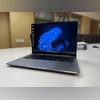 "Asus ExpertBook P3")
Asus ExpertBook P3
Listen to This Article
Taiwanese electronics manufacturer Asus has recently expanded its enterprise-focused laptop range in India with the introduction of the ExpertBook P-series, powered by 13th Gen Intel Core H-series processors. The series includes three models, with the ExpertBook P3 – the unit under review – occupying the mid-range segment. It strikes a balance between functionality and affordability.
Configurable in terms of RAM and storage, this business-centric laptop places emphasis on privacy, security, and durability. Complementing the hardware is a suite of proprietary Asus software utilities aimed at enhancing the user experience, particularly for online meetings.
Asus ExpertBook P3: Security and enterprise features
Security is a primary requirement in enterprise laptops, and the ExpertBook P3 offers more than the basics. It features a built-in TPM 2.0 (Trusted Platform Module), which is a dedicated chip for maintaining system integrity and enabling secure user authentication as well as remote access to corporate networks. In addition, a Kensington Nano lock slot is provided to safeguard the device from physical theft in unsupervised settings.
Also Read

 "New ASUS ROG laptops")
 "Asus Zenbook A14 with Qualcomm Snapdragon X chip")
 "ASUS Vivobook S14, S14 Flip (ASUS)")
 "cybersecurity laptop working")
 "Tech Wrap April 8")
On the biometric front, the laptop includes a fullHD infrared camera and a fingerprint sensor integrated into the power button for Windows Hello-enabled login. A physical privacy shutter further enhances webcam security. Other business-oriented features include a built-in RJ45 LAN port, supporting MAC binding – a requirement in certain enterprise environments for access to specific data or networks.
Asus ExpertBook P3: Ports
The ExpertBook P3 offers a versatile selection of connectivity ports:
- 2 x USB 3.2 Gen 1 Type-A
- 2 x USB 3.2 Gen 2 Type-C (with support for DisplayPort and power delivery)
- 1 x HDMI 2.1 (TMDS)
- 1 x 3.5mm combo audio jack
For a compact device, this combination of legacy and modern ports distinguishes the ExpertBook P3 in its category.
Asus ExpertBook P3: Display
Asus has given due attention to the display. The ExpertBook P3 is equipped with a 14-inch, anti-glare full-HD IPS screen featuring a 60Hz refresh rate and a productivity-centric 16:10 aspect ratio. The panel is bordered by thin bezels on the sides, with reasonably sized top and bottom borders.
The display is sufficiently bright and colour-rich. The anti-glare coating ensures legibility across varied lighting conditions. The hinge allows the screen to open a full 180 degrees, facilitating collaboration and flexible usage.
Asus ExpertBook P3: Audio
The device incorporates dual stereo speakers located on the underside of the chassis. Tuned by Dirac, the speakers deliver a well-rounded sound. The bottom surface also features rubber padding, slightly elevating the laptop to aid airflow for thermal management and to reduce audio obstruction.
Asus ExpertBook P3: Keyboard and touchpad
The ExpertBook P3 comes with a backlit, full-sized keyboard that includes dual-purpose function and arrow keys. In alignment with its business focus, the first four function keys are dedicated to video conferencing utilities – such as volume and microphone controls – and are visually distinguished with blue accents.
Key spacing is adequate, and the keyboard is spill-resistant to guard against minor liquid exposure. The keys offer satisfactory tactile feedback and travel. Supporting the keyboard is a generously sized touchpad. It has a physical press mechanism, though the click is slightly rigid. In addition to Windows-native gesture support, Asus includes its own gesture controls: swiping vertically on the left side adjusts volume, while the same on the right adjusts brightness.
Asus ExpertBook P3: Performance
The ExpertBook P3 is suitable for routine office tasks, although it does not compete with newer AI-enabled PCs powered by Intel Core Ultra (2nd Gen), AMD Ryzen 8000 series, or Qualcomm platforms. Nonetheless, it boots quickly, remains cool under regular loads, and operates silently – even when the internal fans are running at full speed.
The laptop features dual-channel 16GB DDR5 RAM as standard and is upgradable to 64GB via an additional slot. Similarly, the storage is configurable, with support for PCIe 4.0 solid-state drives.
Asus ExpertBook P3: Software and utilities
The ExpertBook P3 runs on Windows 11 Home and includes a suite of Asus utilities – some pre-installed and others available through the Microsoft Store. While the core Windows experience is unchanged, the value-added Asus applications offer meaningful enhancements.
For instance, the MyAsus app allows customisation of nearly every aspect of the system—from performance tuning to audio and connectivity settings. Another application, AI ExpertMeet, must be downloaded separately (approximately 6GB). This smart meeting utility offers features such as AI-generated meeting minutes, translated subtitles, and watermarking. However, the current limitations in language support and functionality affect its overall utility.
Asus ExpertBook P3: Battery
Battery life on the ExpertBook P3 is modest, even when operating in balanced mode. It does not match the longevity of modern Windows PCs. However, the battery performance is sufficient for occasional mobile use. Charging is relatively fast; the included 65W USB-C charger replenishes the battery in just over an hour.
Asus ExpertBook P3: Verdict
At Rs 64,990 onwards, the Asus ExpertBook P3 offers a comprehensive feature set tailored for enterprise users on a budget. It combines a robust build, a practical display, a spill-resistant backlit keyboard, and ample connectivity options. However, its standout feature remains the integrated software utilities that enhance the video conferencing experience, reinforcing its business-centric focus.
Asus ExpertBook P3: Unboxing
More From This Section
 "HP OmniBook 5")
 "Motorola Edge 60 Pro")
 "Samsung Galaxy S25 Edge")
 "Xiaomi X Pro QLED TV review")
 "Nothing's CMF Phone 2 Pro and its accessories")
Topics : Asus Asus laptops Laptops Windows 11
Don't miss the most important news and views of the day. Get them on our Telegram channel
First Published: May 27 2025 | 10:37 AM IST