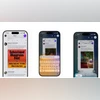
Apple’s iOS 26 update introduces three new smart visual tools that enhance the screenshot experience on iPhones equipped with Apple Intelligence. The tools — Add to Calendar, Image Search, and Ask ChatGPT — are designed to make screenshots more interactive and useful by enabling users to take actions based on the content with just a few taps. The goal is to simplify everyday tasks like scheduling, shopping, and getting instant information.
Add to Calendar
When you take a screenshot that includes information about an upcoming event — like a concert, meeting, or dinner — you’ll now see an Add to Calendar option appear at the bottom. This tool automatically extracts relevant event details from the screenshot and suggests creating a calendar entry. You simply tap to confirm and save it, eliminating the need for manual input.
Image Search
The Image Search feature allows users to search for similar products or objects within a screenshot. Particularly helpful for shopping, users can highlight an item — such as a jacket, lamp, or piece of furniture — and receive visual search results from services like Google, Etsy, and other supported platforms.
With Ask ChatGPT, users can ask questions directly about their screenshot. After capturing the screen, a new ‘Ask’ button appears in the bottom-left corner. Users can type a question, and ChatGPT will analyse the image to provide relevant responses. You can also highlight specific portions of the screenshot to refine your query without needing to crop it manually.
iOS 26: What is new
In addition to the screenshot tools, iOS 26 introduces a refreshed Liquid Glass design, offering translucent and fluid interface elements for a modernised look. The update also enhances Apple Intelligence features with real-time audio and call translation and introduces improvements to core apps like Phone, Messages, and Music.

 "iOS 26: Apple brings smart visual tools for screenshots and quick actions")


 Connect with us on WhatsApp