


Google expands NotebookLM video overviews to 80 languages: What's new
Google now offers support for 80 languages in NotebookLM's video overviews and richer Audio overviews, making study materials and research summaries more accessible to learners worldwide
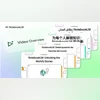 "Key updates to NotebookLM's Video and Audio Overview")
Key updates to NotebookLM's Video and Audio Overview
Listen to This Article
Google has expanded accessibility on its AI-powered note-taking platform, NotebookLM, with the rollout of video overviews in 80 languages, including French, German, Spanish, and Japanese. Alongside, audio overviews in non-English languages have been upgraded to match the richness and detail of their English counterparts, offering fuller discussions across all supported sources.
Overviews in NotebookLM serve as smart summaries of notebook content, helping users grasp key concepts without sifting through dense material. They are designed to support students, researchers, and professionals by providing quick insights and context.
Video overviews in multiple languages
Introduced last month, video overviews transform notebook sources into AI-narrated slides, combining images, diagrams, quotes, and numbers from documents into concise video explainers. With the latest expansion, users can now generate these presentations in over 80 languages.
The feature caters to a wide audience, from students preparing for exams to professionals analysing research papers. By offering visual and spoken explanations in local languages, NotebookLM aims to make complex material more approachable and engaging.
Also Read

 "Google Pixel 10")
 "Google Pixel 10 Pro, Pixel 10 Pro XL")
 "Google Vids")
 "Google Phone app")
 "Meta")
Comprehensive audio overviews
Non-English audio overviews have also been upgraded to deliver the same depth as English ones, said Google. While earlier versions offered only shorter summaries, the new update provides full-length discussions that synthesise ideas across multiple sources for deeper insights.
For users who prefer brevity, shorter summary options remain available, giving flexibility between in-depth exploration and quick overviews.
Global rollout
The updates – video overviews in 80+ languages and richer audio overviews – are rolling out globally starting today and will reach all users within a week.
Google’s NotebookLM: How to generate a video overview
- Open or create a notebook and upload sources
- In the Studio panel, select video overview
- Use the three-dot menu to customise language or focus
- Add prompts to refine context or emphasis
Google NotebookLM: How to generate an audio overview
- Open or create a notebook and upload sources
- In the Studio panel, select audio overview
- Choose a language and adjust length (Shorter, Default, Longer)
- Add steering prompts to refine expertise or focus
More From This Section
 "Apple Koregaon Park store in Pune")
 "Garena Free Fire Max")
 "xAI")
 "OpenAI, chatgpt")
 "Tech Wrap August 25")
Topics : Google Tech News languages Online education
Don't miss the most important news and views of the day. Get them on our Telegram channel
First Published: Aug 26 2025 | 10:43 AM IST