


Google's NotebookLM update brings Nano Banana visuals, new formats and more
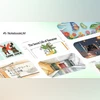
NotebookLM's Video Overviews now feature Nano Banana visuals and two new formats, Explainer for depth and Brief for quick insights into uploaded documents
 "NotebookLM gets Nano Banana tool and new formats")
NotebookLM gets Nano Banana tool and new formats
Listen to This Article
Google’s NotebookLM is updating its Video Overviews feature with the Nano Banana imaging tool to make document summaries more illustrative. Additionally, users can now choose between two formats, detailed Explainers for in-depth understanding and Briefs for quick summaries. According to the company, the update offers flexibility when reviewing dense or complex documents.
Visual upgrades powered by Nano Banana
According to Google’s blog, the addition of the Nano Banana tool enhances NotebookLM’s visual generation capabilities. The tool creates illustrations that are relevant to the uploaded content, helping transform static summaries into engaging, informative videos. The company stated that these visuals are not only meant to look better but also to help users better retain and understand complex material.
The updated Video Overviews can now appear in one of six artistic styles: Watercolor, Papercraft, Anime, Whiteboard, Retro Print, and Heritage. Each style gives a distinct look to the videos, which allows users to choose how their summaries appear and feel.
Also Read

 "Nara Lokesh")
 "Meta AI translates, dubs, lip syncs reels on FB and Instagram")
 "Google's 'Try it On' feature")
 "Gemini 2.5 Flash Image model in Gemini app")
 "Gemini 2.5 Computer Use AI model")
Two new viewing options
Google is also adding options to how users watch Video Overviews. Instead of a single video style, NotebookLM now offers two distinct formats:
- Explainer: A detailed, structured video to give users a deep understanding of lengthy or complex material.
- Brief: A new, concise video format that delivers the essential takeaways, core ideas from a document in a brief manner.
To create the new video overview:
- Select your sources in NotebookLM and click the “Video Overview” button.
- Click the pencil icon on the Video Overview tile to customise your video.
- Choose the preferred format and visual style for the video.
- Add specific prompts, such as: “Focus only on the cost analysis sections of the business plan.”
- The video is then automatically generated.
More From This Section
 "Telegram's new features")
 "iOS 26")
 "OpenAI's latest funding round has drawn interest from the three most valuable tech companies, underscoring how vital the artificial intelligence startup is to the broader industry.")
 "Tech Wrap Oct 13")
 "Windows 10 gets new Facebook, Messenger and Instagram apps")
Topics : Tech News Google's AI Google images AI Models
Don't miss the most important news and views of the day. Get them on our Telegram channel
First Published: Oct 14 2025 | 1:43 PM IST