


Microsoft brings Copilot AI-powered web search mode to Bing: How it works
Google is reportedly developing a similar "AI Mode" for its Search platform, which is expected to launch in the near future
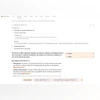 "Copilot Search mode on Bing")
Copilot Search mode on Bing
Listen to This Article
Microsoft has begun rolling out a new Copilot Search mode for its Bing search engine, integrating artificial intelligence to enhance search results with more personalised and context-aware responses. The AI-powered tool summarises search results, provides links to relevant webpages, and displays the steps it took to generate the response.
Meanwhile, Google is reportedly developing a similar "AI Mode" for its Search platform, which is expected to launch in the near future.
Microsoft Bing Copilot Search: How to use
Also Read

 "Microsoft")
 "Qualcomm Snapdragon X chip")
 "Tech Wrap February 3")
 "Copilot in Paint")
 "Tech Wrap January 31")
- Visit Microsoft Bing and enter a search query.
- Once the search results appear, click on the "More" section at the top and select "Copilot Search" from the drop-down menu.
- The AI processes the request and presents relevant results.
Microsoft Bing Copilot Search: How it works
When a user selects Copilot Search, Bing utilises Copilot AI's language processing to refine and expand the query. It then performs multiple related searches simultaneously before displaying the results. Users can also review how the AI arrived at the response by clicking on the "See reasoning" button.
For example, when searching "Should I buy the iPhone 16?", Bing's Copilot Search expands the query to: "The user is looking for information on whether they should purchase the iPhone 16, including its features, benefits, and potential drawbacks."
It then conducts multiple web searches with variations such as "Is iPhone 16 a good investment?" and "How to decide if you need iPhone 16?"
The results are presented in a text summary, pulling information from various sources. Unlike traditional search results, Copilot Search embeds links within the summary as backlinks to relevant websites. The interface also includes "Images" and "Videos" sections on the right-hand side, alongside suggested related queries at the bottom, offering users the option to ask follow-up questions.
More From This Section
 "Vivo V50 smartphone")
 "apple, apple logo")
 "Image: Qualcomm")
 "Nothing Phone 3a series")
 "Google, Google Logo")
Topics : Microsoft Copilot Microsoft Bing Google Search
Don't miss the most important news and views of the day. Get them on our Telegram channel
First Published: Feb 25 2025 | 1:12 PM IST