


Windows 11: Microsoft tests new Copilot Plus experiences, Android mirroring
Microsoft rolls out Windows 11 Insider Preview Build with new Phone Link features like one-click Android screen mirroring and grouped notification view
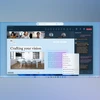 "Draft with Copilot in Word")
Draft with Copilot in Word (Image: Microsoft)
Listen to This Article
Microsoft has released Windows 11 Insider Preview Build to the Dev Channel, which has included new features, improvements, and bug fixes. The highlight is new Phone Link features which allow users to mirror the screen of their Android smartphone on their PC and more. Meanwhile, there are new exclusive AI-powered features for Copilot+ PCs.
Windows 11 Insider Preview Build: What is new
New Phone Link features:
One-Click Android Screen Mirroring: Android users can mirror their phone screen to their PC instantly by clicking the phone icon or using the Start menu footer—which can be ideal for viewing content or using apps on a larger screen.
Grouped mobile notifications: Users can view messages, alerts, and app updates from their phone directly in the Windows Start menu for quick, easy access without needing to pick up their device.
iCloud photos for iPhone Users: iPhone users can now access their recently synced iPhone photos right from the Start menu, making it easier to manage, edit, or share their photos across devices.
Also Read

 "Tech Wrap May 29")
 "Xbox Copilot for Gaming")
 "AI-powered Sticker generator in Paint")
 "Microsoft Build 2025")
 "Microsoft Build 2025")
Draft with Copilot in Word
Microsoft is rolling out new Copilot+ PC experiences to enhance productivity, including a new text action in the Microsoft 365, using Click to Do. This update introduces the “Draft with Copilot in Word” action, designed to help users quickly turn ideas into full drafts.
With this feature, users can see a useful sentence or snippet—whether in an email, on a website, or in a document—They can simply press Win + Click on the text. Then, select “Draft with Copilot in Word” to open Word and let Copilot expand the text into a complete draft.
The feature will begin rolling in the coming weeks. For “Draft with Copilot in Word” – a Microsoft 365 Copilot subscription is required.
Click to Do (Preview) updates
In Copilot Plus PCs, Rewrite and Refine actions for Click to Do are rolling out for users who use French and Spanish as their primary language. Besides, Click to Do now also supports intelligent text actions in German, Italian, and Portuguese.
Multiple dashboards for Widgets
Windows widgets will now support multiple dashboards giving users more space for their favourite widgets. A new navigation bar on the left will let users switch between a dedicated widgets board and integrated dashboards like “My Feed.”
PC Migration
Microsoft is rolling out a new PC-to-PC migration experience in Windows. Users will be able to transfer their files and settings from their old PC to the new one during the PC set-up process. Support during the PC set-up will be available in a future update.
More From This Section
 "Samsung Galaxy S25 Ultra")
 "Elden Ring Nightreign")
 "Apple WWDC 2025 (Image: Apple)")
 "Vivo X200 Pro")
 "semiconductor")
Don't miss the most important news and views of the day. Get them on our Telegram channel
First Published: Jun 03 2025 | 4:47 PM IST