


YouTube Music introduces Spotify-like AI playlist feature for premium users
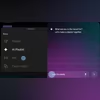
YouTube Music has rolled out a new AI Playlist feature for Premium users, allowing them to create personalised playlists by simply describing a mood, idea, or genre
 "YouTube Music AI Playlist feature")
YouTube Music AI Playlist feature (Image: YouTube Music)
Listen to This Article
YouTube Music has introduced a new AI Playlist feature for Premium subscribers. The company shared the announcement on X (formerly Twitter), confirming that the feature is rolling out on Android and iOS. With this tool, users can create playlists by describing what they want to listen to. Instead of adding songs manually, they can type or speak a mood, idea, or genre, and the app will automatically generate a personalised playlist.
Similarly, Spotify has recently introduced a feature called Prompted Playlist that lets users create playlists by typing what they want to hear, with songs generated based on their listening history and trends.
YouTube Music’s AI Playlist feature: How it works
According to the company, Premium subscribers can create a personalised playlist simply by describing an idea, mood, or music genre. Instead of manually searching for songs, they can enter a text prompt or use their voice, and the AI Playlist feature will generate a playlist based on what they describe. According to the post on X, the feature appears with a Gemini-style logo.
The AI Playlist tool is designed to make playlist creation faster and more flexible for Premium subscribers, although Google has not shared details about how much editing control users will have after a playlist is generated.
Also Read

 "Android logo")
 "Google Photos reverse changes")
 "Airtel's AI powered protection")
 "Personal health coach for Fitbit")
 "Samsung Galaxy Unpacked 2026")
How it compares to existing features
YouTube Music already introduced a natural-language music feature called “Ask Music” in 2024. That tool allowed users to request songs using simple prompts. However, AI Playlist seems more focused on building full playlists rather than creating a radio-style listening session.
Steps to use YouTube Music’s AI playlist feature
- Open the YouTube Music app on Android or iOS
- Go to the Library tab and tap the “New” button
- Select “AI Playlist”
- Use text or voice to describe the type of music you want
- The app will generate a playlist based on your prompt
More From This Section
 "Artificial Intelligence, AI Technology, IT Sector")
 "ai, startups, artificial")
 "IT Ministry, intermediary guidelines, content takedown rules, AI-generated content, deepfakes, social media regulation, MeitY rules")
 "AI Impact Summit")
 "IT Ministry, intermediary guidelines, content takedown rules, AI-generated content, deepfakes, social media regulation, MeitY rules")
Don't miss the most important news and views of the day. Get them on our Telegram channel
First Published: Feb 11 2026 | 4:39 PM IST