


Adobe Firefly brings prompt-based video editing and multi-model support
Adobe has updated Firefly with focus on precise video edits, better camera control, upscaling tools and a browser-based editor for AI-generated content
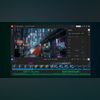 "Firefly Video editor (Beta)")
Firefly Video editor (Beta)
Listen to This Article
Adobe has rolled out a set of updates to Firefly that will give users control and choice in the way they create videos. The update brings new prompt-based editing controls for video, better camera motion handling, improved upscaling tools and wider access to different AI models, including the Google Nano Banana Pro. Alongside this, Adobe has also opened up the Firefly video editor in public beta, allowing users to combine AI-generated clips and their own footage in one place.
Edits and camera motion control for AI video: What’s it
Prompt to Edit controls
According to Adobe, Firefly allows users to edit specific parts of a video using simple text prompts. The user can ask it to remove an object, change the background, adjust lighting, or slightly zoom in, and the edit is applied directly to the existing clip. Earlier, if something small went wrong in a generated clip, like an unwanted object or person, the only option was to regenerate the whole video.
Camera movement control
Firefly is also improving how camera movement works in AI videos. Users can now upload a reference image along with a short video that shows the kind of camera motion they want. Firefly then applies a similar movement to the generated clip, making scenes feel more planned rather than random. Adobe said that this is especially useful for creators trying to achieve a specific visual style.
Also Read

 "One X Tri-Mode Wireless Gamepad")
 "Raviteja Dodda, chief executive officer and co-founder of MoEngage")
 "Instagram for TV")
 "Artificial Intelligence, AI Technology, IT Sector")
 "artificial intelligence, large language model, LLM")
Video upscaling
Adobe has partnered with Topaz Astra for video upscaling. This lets users improve low-resolution videos and push them up to 1080p or even 4K. It can be helpful for old footage, social media clips, or videos that need to look sharper for platforms like YouTube. While one video is being upscaled, users can continue working on other tasks.
New image model
Adobe is also adding more image models to Firefly. One of them is FLUX.2 from Black Forest Labs, which can create and edit images with details, clearer text, and support for up to four reference images. The model is available in Firefly’s Text to Image tool, Prompt to Edit, and Firefly Boards, and can also be used in Photoshop’s Generative Fill, with support coming to Adobe Express in January.
Firefly video editor (Public beta)
Adobe has also made its Firefly video editor available in public beta. This is a browser-based editor where users can combine AI-generated clips with their own videos, music, and visuals. Editing can be done through a traditional timeline or by editing text transcripts, which is said to be useful for interviews or talking-head videos. Finished videos can be exported in different formats, including vertical and widescreen. Adobe is offering unlimited generations for Firefly video and image models until January 15 for users on select paid plans.
More From This Section
 "New Images tab in ChatGPT")
 "Call of Duty: Black Ops 7")
 "Macook Pro M5, Lenovo ThinkPad Carbon, OnePlus Pad 3, Kindle Paperwhite 2025, Logitech")
 "OnePlus 15R, OnePlus Pad Go 2")
 "Samsung's 2026 Micro RGB TVs will be available in sizes ranging from 55 inches to 115 inches")
Topics : Artificial intelligence Tech News Adobe India
Don't miss the most important news and views of the day. Get them on our Telegram channel
First Published: Dec 17 2025 | 2:31 PM IST