


Gmail's new 'Manage Subscriptions' feature brings one-click unsubscribe
Google introduces a "Manage Subscriptions" feature in Gmail, letting users easily view and unsubscribe from promotional emails in one centralised place
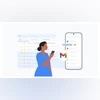 "Gmail's Manage Subscription feature")
Gmail's Manage Subscription feature (Image: Google)
Listen to This Article
Google has officially begun rolling out a new “Manage Subscriptions” feature in Gmail that allows users to easily view and unsubscribe from unwanted promotional emails in a single location. In a blog post, Google said, “Gmail has always worked to keep unwanted emails out of your inbox. Our requirements for senders and tools like one-click unsubscribe give you even more control to choose and actually stop getting emails you no longer want.”
The feature is gradually rolling out across web, Android, and iOS platforms.
Gmail’s Manage Subscription feature: Details
The Manage Subscriptions option appears in Gmail’s side menu, located just below the Trash folder. It organises all your active email subscriptions—including newsletters, promotional messages, and deal alerts—based on how frequently you receive emails from each sender. The list also highlights frequent senders and shows the number of emails sent in recent weeks.
Tapping on any sender brings up all related emails. Each listing includes an “Unsubscribe” button, allowing users to opt out directly within Gmail. When clicked, Gmail automatically sends an unsubscribe request to the sender—removing the need to scroll down and hunt for tiny unsubscribe links at the bottom of messages.
Also Read

 "Google")
 "Tech Wrap March 21")
 "Smart search in Gmail")
 "Gmail New Feature")

Gmail’s Manage Subscription feature: Availability
Although some users have had early access to the feature since April, it is now in its official rollout phase. The feature is currently available in select countries, with broader availability expected in the coming weeks.
The Manage Subscriptions feature is available to all Gmail users, including those with Google Workspace accounts, Workspace Individual subscriptions, and Personal Gmail accounts.
More From This Section
 "meta, ai glasses, ai push")
 "Samsung Galaxy Unpacked on July 9")
 "open ai, sam altman")
 "Garena Free Fire Max")
 "Sabih Khan, Apple COO")
Topics : Gmail Google gmail spams
Don't miss the most important news and views of the day. Get them on our Telegram channel
First Published: Jul 09 2025 | 11:10 AM IST