


Google Gemini Nano Banana AI: Top 5 prompts for a perfect Durga Puja look
The image editing app Nano Banana, developed by Google Gemini, has gone viral on social media. The recent trend enables users to create images inspired by Durga Puja from their photographs
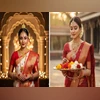 "Best prompts to make your Durga Puja look at Gemini AI")
5 Best AI prompts to make your Durga Puja look at Gemini AI
Listen to This Article
Google Gemini’s latest AI feature, Nano Banana, is being put to creative use this Durga Puja season, inspiring unique saree styles that capture the festive spirit. From traditional six-yard drapes to intricately curated jewellery pairings, the tool is helping fashion enthusiasts experiment with looks for each day of the celebrations, just as the countdown to Puja begins.
By creating images using the Google Gemini app, social media users are now experimenting extensively. These images feature beautiful backdrops for a fully festive mood in addition to typical finery. One of the reasons the trend quickly went viral was the remarkable results.
It is fairly easy even if you are unsure about how to start or which prompts to use. You only need the Gemini app, after which you may provide prompts and upload your own photos to create a custom festive appearance. The AI will take care of the rest, producing breathtaking images that will astound and amaze you.
Step-by-step guide on how to start and join the viral trend
Step 1: Download the Gemini app from the Google Play Store or Apple App Store.
Step 2: Sign in using your Google account.
Also Read

 "Rekha Gupta")
 "Muhammad Yunus, Yunus")
 "Fish, Fish market, Sea food")
 "Rekha Gupta, Delhi CM")
 "Dahi handi festival")
Step 3: Upload the photos of yourself.
Step 4: Fill a prompt. You can either write your own or use ready-made prompts that are circulating online.
Step 5: Tap the send button, and Gemini will create your image. You can then download and share it.
5 best prompts to make your stunning 'Durga Puja' look
Prompt 1: Make a realistic Durga Puja portrait in 4K HD. A woman with festive makeup and traditional jewellery is dressed in a red and white saree. Diyas and a temple-style background with gentle golden illumination are ideal. For a cinematic effect, add a subtle bit of film grain.
Prompt 2: In a flawless off-white saree with a red border and small red prints on the saree, create a vintage, grainy, yet vibrant image of the reference picture. The breezy setting and straight, wavy hair must make it feel like a '90s film. A pandal and contrast drama, including a Durga maa statue in the background, would create an enigmatic and creative ambience. I want my face exactly as I uploaded it, without any changes.
Prompt 3: Make a 4K HD photograph of a woman in Durga Puja wearing a traditional saree. She is holding a floral-decorated plate and sporting elaborate gold jewellery and a red bindi. A blurred Durga Maa statue with lights and diyas should be included in the background.
Prompt 4: Create a cinematic Durga Puja look. A woman with festive makeup, groomed hair, and a red and gold-patterned saree. A Durga Puja pandal with warm, blazing lights should be the background. For authenticity, add a little blur and subtle film grain.
Prompt 5: Create a 4K HD photograph portraying the spirit of Durga Puja. A woman wearing a saree with gold borders and red and white, accessorised with basic jewellery. The background is covered in decorations for Durga Puja. For a cinematic impression, keep the background simple and retro-textured with faint film grain.
More From This Section
 "OriginOS 6 coming to India")
 "Windows 11")
 "Perplexity Comet browser")

Topics : Durga Puja Gemini AI Google's AI
Don't miss the most important news and views of the day. Get them on our Telegram channel
First Published: Sep 23 2025 | 5:47 PM IST