


Microsoft details on-device AI capabilities coming with Windows 11 update
Windows 11 gets a functional upgrade with AI-driven features like Copilot Vision, Settings agent, improved Click to Do, and new tools in Paint, Photos, and Snipping Tool
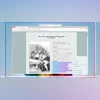 "Windows 11 new update (Image: Microsoft)")
Windows 11 new update (Image: Microsoft)
Listen to This Article
Microsoft has announced a new Windows 11 update that will add a range of functional features for general users and Copilot+ PC owners. The update focuses on improving system interaction, accessibility, and everyday usability across key tools like Settings, Paint, Snipping Tool, and Photos. It also expands the role of on-device AI with features such as Click to Do, Copilot Vision, and a new agent for system settings.
The update is available through this month’s non-security preview release and Microsoft Store app updates, with gradual rollout expected over the next few weeks.
How to get the update
These features are rolling out gradually via controlled feature rollout (CFR) starting this month. To get early access:
- Go to Settings > Windows Update
- Enable “Get the latest updates as soon as they’re available”
- Then click Check for updates
Make sure apps like Microsoft Paint, Photos, and Copilot are also updated through the Microsoft Store.
Also Read

 "Microsoft logo, Microsoft")
 "Microsoft logo, Microsoft")
 "Cross-device play history in Xbox PC app")
 "Microsoft logo, Microsoft")
 "Microsoft, office, tech")
What’s new in the latest Windows 11 update
AI Agent for Settings (Copilot+ PCs only)
A new AI-powered settings assistant lets users search and change system settings using natural language. For example, typing “turn on quiet hours” or “connect Bluetooth” in the Settings search bar will now suggest one-click actions. This feature is initially available on Snapdragon-based Copilot+ PCs and will expand to Intel and AMD Copilot+ systems later.
Click to Do: Expanded contextual actions
The Click to Do preview has been updated with more AI-powered contextual tools. Users can now:
- Practice reading fluency with Reading Coach
- Read selected text in a focused format via Immersive Reader
- Generate document drafts with Draft with Copilot in Word
- Message or schedule meetings via Microsoft Teams directly from recognised email addresses
Click to Do can be activated using Windows + click, Windows + Q, or gestures like swiping from the right on touch-enabled devices.
Photos app: AI-based Relight
The updated Photos app now includes a Relight feature, allowing users to apply up to three virtual light sources to images and adjust brightness, softness, color, and intensity—similar to professional editing tools. This feature is currently limited to Copilot+ PCs with Snapdragon X chips.
Paint: AI sticker generator and object selection
Two new tools are now available in the Paint app:
- Sticker generator: Create custom stickers using text prompts (e.g., “a cat wearing sunglasses”).
- Object select: Use AI to isolate and edit specific elements within an image.
These features build on previous Paint enhancements like Cocreator and generative erase.
Snipping Tool: Perfect Screenshot and Color Picker
- Perfect Screenshot: Uses AI to intelligently crop screen captures to relevant content (Copilot+ PCs only).
- Color Picker: Lets users sample any color from the screen and view it in HEX, RGB, or HSL format. This feature is available on all Windows 11 devices.
Copilot Vision and Highlights (US only)
Copilot Vision enables real-time AI assistance based on what’s visible on screen. It can offer help, analyse content, and show step-by-step instructions with visual cues. Users can activate it from the Copilot app and choose what to share. This is a fully opt-in experience.
Edge game assist
Microsoft Edge now integrates Game Assist, offering:
- Game guides and tips
- Quick access to Discord, Spotify, and Twitch
Available via the Game Bar (Win + G) for Windows 11 users.
Faster recovery from unexpected restarts
Unexpected reboots will now use Quick Machine Recovery through Windows Recovery Environment (WinRE) to auto-detect and fix issues. Microsoft also claims to have reduced restart screen time from 40 seconds to just 2 seconds for most users, along with a simplified UI for clarity.
Windows 10 support transition
As support for Windows 10 ends on October 14, 2025, Microsoft is launching an Extended Security Updates (ESU) program. A new setup wizard will help users enroll directly from their Windows 10 PCs, ensuring continued protection during the transition.
More From This Section
 "Google Play")
 "Apple iOS 26")
 "x, Twitter")
 "BGMI")
 "Latest Pixel Drop")
Topics : Microsoft Microsoft Copilot Windows 11
Don't miss the most important news and views of the day. Get them on our Telegram channel
First Published: Jul 23 2025 | 2:55 PM IST