


EPFO members can activate UAN using face scan feature on UMANG app
They have to install UMANG & AadhaarFaceRD apps, enter Aadhaar & mobile number, give consent, and complete live photo capture for verification
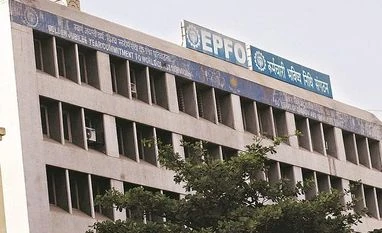 "epfo")
Listen to This Article
Employees’ Provident Fund Organisation (EPFO) has launched a service that allows members to generate and activate their Universal Account Number (UAN) using Aadhaar-based Face Authentication Technology (FAT) through the UMANG mobile application.
The feature promises a contactless, secure, and fully digital experience for EPFO members, eliminating the traditional dependency on employers and reducing data inaccuracies.
Last week, the EPFO also announced two changes: removal of the requirement to upload an image of a cheque leaf or an attested copy of the bank passbook, and the elimination of the need for employer approval to link a bank account with the UAN.
Also Read

 "systematic investment plan, SIP, Mutual fund")
 "EPFO")
 "EPFO")
 "To enhance its equity exposure and earn a greater income for its nearly 70 million subscribers, the Employees' Provident Fund Organisation (EPFO) is slated to take a call on reinvesting 50 per cent of the redemption proceeds of exchange-traded funds")
Aadhaar-based Face Authentication Technology service is available to both employees and employers and offers some key advantages:
100 per cent Aadhaar and user validation through Face Authentication.
User data is auto-filled directly from the Aadhaar database.
The user’s mobile number is verified against the one registered with Aadhaar.
UAN activation on the EPFO portal is completed during the generation process.
Employees can generate their UAN independently and download the e-UAN card PDF, eliminating the need for employer involvement.
At the time of joining, employees can simply share the e-UAN card PDF and UAN with the employer for EPFO onboarding.
Instant access to EPFO services such as passbook viewing, KYC updates, claim submission, and more is provided.
Here’s how it works:
Download the UMANG App and AadhaarFaceRD App from the Play Store.
Open UMANG App > navigate to ‘UAN Allotment and Activation’ under UAN services.
Enter Aadhaar number and the mobile number linked with Aadhaar.
Provide consent and validate using the OTP received.
Use live face capture via the app's camera – the image is verified against the Aadhaar database.
Upon successful authentication, UAN is generated and sent via SMS.
The UAN is auto-activated and the employee can download their e-UAN card from the UMANG App or the Member Portal.
More From This Section
 "illegal immigrants caught at US")
 "US Visa")
 "fund, revenue")
 "tax")
Topics : Aadhaar EPFO BS Web Reports finance
Don't miss the most important news and views of the day. Get them on our Telegram channel
First Published: Apr 10 2025 | 12:09 PM IST