


IRCTC launches beta version of new website: Check features, booking steps
The beta version of IRCTC's redesigned website is now live, offering a simpler interface, faster ticket booking, fewer interruptions and improved seat availability
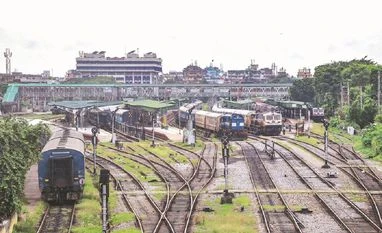 "railways train rail freight trains")
The redesigned portal introduces several features aimed at making train ticket bookings quicker, simpler and more convenient. Representative Picture
Listen to This Article
The Ministry of Railways has launched the beta version of the redesigned Indian Railway Catering and Tourism Corporation (IRCTC) website, marking the platform's first major overhaul in more than two decades.
According to the ministry, the revamped portal is designed to make train ticket booking simpler, faster and more user-friendly. The beta version is now live at https://www.irctc.co.in/eticket/, allowing users to explore the new interface and share feedback before the final version rolls out in the coming weeks.
The launch follows Railway Minister Ashwini Vaishnaw's announcement last month during an interaction with students in Jaipur, where he said the revamped portal would be launched by July 15.
Launched in 2002, the IRCTC website currently handles around 1.45 million train ticket bookings every day, making it one of the country's busiest online ticketing platforms.
What are the new features of the IRCTC beta website?
The redesigned portal introduces several features aimed at making train ticket bookings quicker, simpler and more convenient. By reducing unnecessary steps and interruptions, the updated platform is expected to deliver a smoother user experience.
Also Read

 "BSE, Stock Markets")
 "IMD monsoon break, southwest monsoon forecast, monsoon break impact on paddy, India rainfall update, kharif crop monsoon")
 "Income Tax Bill, Income Tax")
 "commercial vehicles")
 "Balochistan attack, Quetta bomb blast")
Faster ticket bookings
The revamped website reduces the number of steps required to book a train ticket, enabling passengers to complete reservations more quickly. It also provides easier access to key information, such as seat availability. Frequent users can save passenger details, making repeat bookings faster and more convenient.
Fewer interruptions during booking
One of the biggest changes is the reduction of interruptions during the booking process. Passengers will no longer encounter frequent CAPTCHA checks, unnecessary pop-ups or other distractions while making reservations. The streamlined interface is expected to make the booking process faster and more seamless.
Seat availability on a single page
The updated website allows passengers to view seat availability across different classes on a single page. Previously, users had to open each class separately to check availability. The new interface displays all available options together, enabling passengers to compare and choose the most suitable class more quickly.
The portal also offers better integration of saved passenger details, further simplifying repeat bookings.
What other upgrades are planned?
Alongside the website redesign, the Railways is modernising the Passenger Reservation Engine, the core system that powers train ticket bookings across multiple applications.
The upgrade is being carried out while ensuring uninterrupted services, given the reservation engine's critical role in daily railway operations. The modernised Passenger Reservation Engine is expected to launch soon and integrate with the new IRCTC portal.
The Ministry of Railways said feedback received during the beta phase will help refine both the website and future platform updates.
How can you book train tickets on the new IRCTC website?
Step 1: Click the 'Login' button at the top-right corner of the homepage. Enter your username and password, then click 'Login'.
Step 2: Enter your boarding station ('From'), destination ('To'), journey date, quota and concession (if applicable), then click 'Search Trains'.
Step 3: Browse the list of available trains. You can view departure and arrival timings, journey duration, train frequency and seat availability for each service.
Step 4: Click 'Check Availability' to view seat status. Once you have selected your preferred train and travel class, click 'Book'.
Step 5: Click 'Continue Booking', enter passenger details including the passenger's name, age, gender and other required information, then proceed to the payment page to complete your reservation.
More From This Section
 "Delhi High Court")
 "Rekha Gupta, Delhi CM")
 "Election commission, voting, SIR")
 "ship")
 "rally")
Topics : Indian Railways Indian Railway IRCTC BS Web Reports
Don't miss the most important news and views of the day. Get them on our Telegram channel
First Published: Jul 16 2026 | 9:26 AM IST