


iPhone users can now set Google Translate as their default translation app
To set Google Translate as the default translation app, the iPhone must be running iOS 18.4 or later, and the latest version of Google Translate must be installed
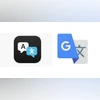 "Apple Translate and Google Translate")
Apple Translate and Google Translate
Listen to This Article
Google is reportedly rolling out an update to its Translate app that allows iPhone users to set it as their default translation tool—replacing Apple’s built-in Translate app. The change follows the release of iOS 18.4, which introduced the ability for users to set default apps for specific functions such as navigation, music, and translation.
According to a report by 9to5Mac, the latest version of Google Translate supports this new iOS setting, enabling it to be selected as the primary translation app on iPhones. Previously, translation features were handled through Apple’s Translate app, whether through Siri or system-level interactions like text selection pop-ups.
However, to access this feature, the iPhone must be running iOS 18.4 or later, and the latest version of Google Translate must be installed via the App Store. The functionality is rolling out gradually and may take some time to appear for all users.
Also Read

 "apple, apple logo")
 "apple, apple logo")
 "Tim Cook")
 "Apple, Apple iphone")
 "iPhone, Apple iPhone")
Apple allowing third party apps to be set as default
Apple first introduced the ability to set third-party apps as default options in iOS 18.2, released in November last year. At launch, users could customise default apps across eight categories, including calling, messaging, keyboard, and password management. With the release of iOS 18.4, Apple expanded this functionality further to include new categories such as navigation, music, and translation, giving users greater control over their preferred app experience.
How to set Google Translate as default translation app on iPhone
To make Google Translate your default translation app, follow these steps:
- Open the Settings app on your iPhone.
- Scroll down and tap on Apps.
- Select Default Apps from the menu.
- Tap on Translation.
- Choose Google Translate from the list of available apps.
Once configured, system-wide translation actions—such as those initiated by Siri or text selection—will automatically open in Google Translate.
More From This Section
 "Nothing Phone 3")
 "Google I/O 2025")
 "Apple and ChatGPT")
 "Gemini")
 "MSI Claw A8")
Topics : Google iPhones Google Translate
Don't miss the most important news and views of the day. Get them on our Telegram channel
First Published: May 20 2025 | 4:26 PM IST