


Redmi Pad 2 Pro quietly earned its place on my work desk: Here's why
Redmi Pad 2 Pro is a midrange tablet offered with productivity-focused accessories such as stylus and keyboard cover. It is designed for both work and leisure, and that earns it place on my work desk
 "Redmi Pad 2 Pro")
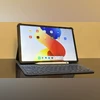
Redmi Pad 2 Pro, Keyboard and Redmi Smart Pen
Listen to This Article
I needed a reliable secondary computing device, something that can handle both professional tasks and personal downtime. A device you can casually use for watching videos, scrolling through social media, or reading articles at night. However, within just a few days of using the Redmi Pad 2 Pro, I realised it wasn’t meant to stay in the background. Gradually and almost without notice, it began taking over tasks I would normally rely on my laptop for. What sets the Redmi Pad 2 Pro apart is not just its specifications on paper, but how seamlessly it fits into everyday use. I am using the Graphite Grey variant with 256GB storage, and from day one, it felt thoughtfully designed for people who spend long hours on their devices, not just for quick demos or occasional entertainment.
Design
The Graphite Grey finish gives the tablet a professional look without appearing flashy, which suits both work and entertainment use. The metal body feels solid in hand, and despite housing a large battery, the tablet never feels awkward or difficult to handle. I have used it around the house, on the couch, at my work desk, and even on the balcony, and it remained comfortable in all these situations.
On paper, the tablet measures 279.80mm in height, 181.65mm in width, and is 7.5mm thick, but in everyday use, it feels closer to holding a larger Kindle. When used vertically, it does not put unnecessary strain on the hand. When used horizontally, I would recommend using a stand, as holding it can partially block the speakers on both sides. Even then, the tablet never feels heavy, largely due to its well-balanced weight distribution, which becomes especially noticeable during long reading or browsing sessions.
The back panel offers good grip and does not slip easily, which is something I usually struggle with. The subtly textured pattern on part of the back further improves handling. The camera module sits close to the surface and does not protrude excessively, suggesting a focus on keeping it well integrated with the back panel rather than relying on a raised camera ring.
Display
Also Read

 "Tech Wrap January 9")
 "Redmi Note 15")
 "OPPO Reno 15 series, OPPO Pad 5, OPPO Enco Buds 3 Pro Plus")
 "Motorola unveiled Signature, Razr Fold, Moto Tag 2, and more at CES 2026")
 "Tech Wrap January 6")
The 12.1-inch 2.5K display enhances everything on screen, whether I am reading text, browsing images, or watching videos. Scrolling feels fluid and effortless, which makes long reading sessions far more comfortable than I expected. I spend a lot of time going through lengthy blogs, reviewing documents, and editing text, and the sharpness of this display noticeably reduces eye fatigue. Even after extended use, especially late at night, I did not experience the usual strain that often comes with larger screens.
Enabling Reading Mode made things even easier, softening the display to a more paper-like tone that felt natural during long reading sessions. I usually ignore such modes on other devices, but here I found myself turning it on regularly without thinking about it, and it slowly became part of my routine.
Colours on the screen look rich without appearing overdone, and when it comes to watching movies or series, the experience feels genuinely cinematic rather than just “good for a tablet.”
That said, movie nights remain enjoyable largely because of the audio performance. The speakers are loud and clear enough to comfortably fill a large room, making external speakers feel unnecessary.
While there are no major drawbacks here, I noticed that the display is reflective in nature, which can be distracting during darker scenes. Additionally, the bezels are a bit thicker than expected, slightly reducing the sense of immersion, particularly while watching videos.
Performance
The Redmi Pad 2 Pro is powered by Qualcomm Snapdragon 7s Gen 4, and in basic every day use, the tablet feels smooth. I used it with multiple browser tabs open, edited documents, played music in the background, and switched between apps throughout the day without running into any issues.
Split-screen mode is something I rely on with almost any device other than my smartphone, especially while collecting ideas or comparison figures for my social media content. I usually kept notes open on one side and a browser or reference material on the other, and the tablet handled this kind of multitasking comfortably. App switching was generally quick, with only minimal lag during longer sessions. Using split screen in portrait mode does feel a bit tight, as the limited space leads to more scrolling and slightly affects usability. In landscape mode, however, split screen feels far more practical and easier to work with, particularly for productivity-focused tasks.
I also spent time gaming casually and watching videos for extended periods, and the tablet remained stable without noticeable heating or frame drops. Overall, the performance is good enough to stay out of the way, which is what matters most for a tablet meant to be used regularly for both work and entertainment.
Battery
When you use a secondary device, constant charging is usually the last thing you want to deal with. That is where this tablet stands out. The Redmi Pad 2 Pro can be used for long stretches without making you think about the charger at all. I charged the tablet once and then went about my routine without checking the battery percentage. Days went by and it continued to hold up. I streamed videos, joined video calls, read articles, browsed the web, wrote drafts, and even played a few games, yet the battery level dropped slowly enough that it never became a concern. At some point, I realised I had stopped checking the battery altogether, which is not something I can say about most devices I use. That sense of lasting battery makes a real difference, especially when you pick up the tablet casually throughout the day.
Software
HyperOS 2 plays an important role in shaping the overall experience, largely by keeping things simple and consistent rather than pushing flashy features. The interface feels clean and easy to get used to, and nothing feels out of place even during long hours of use. One feature I found myself using more than expected is Google’s Circle to Search. Being able to look up text or images directly from the screen without switching apps made casual browsing and quick research feel smoother, especially when reading articles or comparing information.
Gemini AI is present in a way that feels similar to how it works on other devices. I mostly used it for everyday tasks such as summarising long articles, cleaning up rough drafts, or getting quick ideas while writing. It does not change how you use the tablet, but it quietly helps speed things up when you need it. Overall, HyperOS 2 stays out of the way and lets the tablet feel familiar, which makes it easier to focus on actual work or entertainment instead of learning new features.
Redmi Pad 2 Pro: Keyboard and Redmi Smart Pen
Productivity is where the Redmi Pad 2 Pro starts to earn its place on the desk rather than just on the couch. With the keyboard and Smart Pen attached, it shifts from being a screen you consume content on to a tool you actively work with. Typing on the keyboard feels reassuringly solid, making it easy to write longer drafts, reply to emails, or make quick edits without feeling slowed down. The Smart Pen adds another layer of usefulness, especially when reviewing PDFs or documents that require comments and corrections. I spent time using Mi Canvas to sketch rough ideas, plan layouts, and map out thoughts visually. It became a space for quick thinking and problem-solving rather than polished artwork, which is exactly how I tend to use such apps.
What surprised me most was how often I chose the tablet over my laptop for everyday tasks. I filled out multiple forms on it, including my driving licence application and academic paperwork. These are things I would normally default to doing on a laptop, but the tablet made the process feel simpler. Tapping through fields, signing sections with the pen, and switching back to typing when needed felt faster and less inconvenient. There was no constant adjusting of windows or dealing with an unresponsive trackpad.
The ability to move smoothly between typing, writing, and touch input is where the Redmi Pad 2 Pro really proves its flexibility. You are not locked into one way of working, and that freedom makes it easier to adapt the device to the task in front of you. The keyboard itself has a smooth finish and a comfortable key response, but it does add a fair amount of weight to the setup. Once attached, the tablet feels considerably heavier, especially if you are carrying it around. The magnetic connection is strong and keeps the tablet firmly in place, allowing it to be used confidently in a laptop-like posture. However, if you are used to a traditional laptop, it takes some time to adjust to the balance and hinge style. After a few days of use, it begins to feel more natural, and the tablet starts to settle into a rhythm that feels practical.
Verdict
The Redmi Pad 2 Pro is a solid companion device, which does not try replacing your laptop outright, but over time, it quietly takes on many of the tasks you would normally reserve for one. The large, sharp display works well for reading and media, the performance remains steady during everyday multitasking, and the audio and battery life stand out in real-world use rather than just in specifications.
There are a few trade-offs, such as slightly thicker bezels, screen reflections, and the added weight when using the keyboard, but none of them significantly affect the overall experience. What ultimately works in the tablet’s favour is how naturally it fits into both work and downtime.
Price
- 8GB RAM + 256GB storage(Wi-fi +5G): Rs 29,999
- Colour: Graphite Grey and Silver
- Redmi Pad 2 Pro keyboard: Rs 3,999
- Redmi Smart Pen: Rs 3,999
Redmi Pad 2 Pro: Unboxing
More From This Section
 "Logitech MX Master 4")
 "SanDisk Creator Phone SSD")
 "Motorola Edge 70")
 "Apple brings several improvements to the base iPhone 17, making it one of the most balanced smartphones of 2025")
 "OnePlus Pad Go 2")
Don't miss the most important news and views of the day. Get them on our Telegram channel
First Published: Jan 12 2026 | 3:26 PM IST