


Xbox Cloud Gaming now available in India: How to get started, pricing, more
Microsoft has begun rolling out Xbox Cloud Gaming in India, allowing users to stream and play Xbox titles directly on phones, PCs, smart TVs, or Fire TV devices - no console required
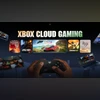 "Xbox Cloud Gaming now in India")
Xbox Cloud Gaming
Listen to This Article
Microsoft has announced that Xbox Cloud Gaming is now available in India. Indian users can now stream and play hundreds of titles on the devices they already own, whether it's on an Xbox console, PC, handheld, mobile phone, select LG and Samsung Smart TVs, or compatible Amazon Fire TV Sticks or Fire TV Cube. All players need is one of the aforementioned devices along with a Bluetooth-enabled wireless controller, a high-speed internet connection, and an Xbox Game Pass subscription to utilise the cloud gaming service.
To put this in simpler words, users do not need to own an Xbox console physically anymore. They can simply purchase any of the Xbox Game Pass and play Xbox games on any of the aforementioned compatible devices with the help of Microsoft’s Xbox cloud server. For the uninitiated, this is similar to Amazon Luna and NVIDIA’s GeForce Now.
Xbox Game Pass subscription
Xbox Game Pass gives subscribers access to a vast library of games under a single monthly plan rather than purchasing each game separately. The service supports cross-platform play, allowing users to enjoy titles on Xbox consoles, PCs, and other compatible devices via cloud gaming.
Also Read

 "MSI Claw 8")
 "ASUS ROG Xbox Ally with Xbox UI")
 "Tech Wrap October 27")
 "Halo: Campaign Evolved")
 "ASUS ROG Xbox Ally")
Xbox offers three subscription plans for Game Pass, namely- Essential, Premium, and Ultimate. The Essential plan is available at Rs 499, the Premium plan is available at Rs 699, and the Ultimate plan is available at Rs 1,389.
How to get started with Xbox Cloud Gaming
For PC, phone, tablet, handheld, and most devices with access to a web browser:
- Use a supported browser like Microsoft Edge, Google Chrome, or Apple Safari.
- Navigate to Xbox Cloud Gaming’s website.
- Sign into your Xbox Game Pass account.
- Connect a supported controller like the Xbox Wireless Controller, Xbox Adaptive Controller, PlayStation DualSense, or DualShock 4 controller, and you’ll be able to start playing.
Notably, on PC, some games support mouse and keyboard input, whereas on mobile, some games support touch controls.
On supported Smart TVs:
- Download and launch the Xbox app (on supported Samsung TV, LG TV, or Amazon Fire TV devices)
- Sign into your Xbox Game Pass account.
- Connect a compatible Bluetooth-enabled wireless controller and you’ll be able to start playing.
More From This Section
 "Samsung SmartThings")
 "Spotify music sharing")
 "Samsung Galaxy S25, S25 Plus, S25 Ultra")
 "Restore old photos using Google Gemini AI prompts")
 "iQOO 15")
Topics : Xbox Gaming online gaming
Don't miss the most important news and views of the day. Get them on our Telegram channel
First Published: Nov 11 2025 | 5:08 PM IST