


Google adds Video Overviews to NotebookLM app on Android, iOS: Report
Google is bringing Video Overviews and new Infographic customisation tools to the NotebookLM app on Android and iOS, expanding features that were earlier limited to the web
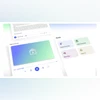 "NotebookLM's Video Overview feature")
NotebookLM’s Video Overview feature
Listen to This Article
Google is reportedly bringing some of NotebookLM’s existing web features to its Android and iOS apps. According to a report by 9To5Google, Google is adding support for Video Overviews and expanded customisation options for Infographics and Slide Decks to the NotebookLM smartphone app. The rollout began last week and is now reaching more users. By bringing these web-based features to mobile, NotebookLM makes it easier for users to create and review content directly from their phones.
NotebookLM update: What’s new
Video Overviews on mobile
According to the report, one of the key additions is Video Overviews support in the NotebookLM mobile app. Users can go to the Studio tab to generate Video Overviews directly on Android and iOS. The feature also allows users to watch previously generated AI videos within the app.
Playback controls have also reportedly been added, including the option to adjust video speed. This makes it easier to review content quickly or watch at a slower pace. Until now, these video tools were only accessible on the web, but the update brings the experience closer to parity on mobile.
More control over Infographics
The report also said that Google has introduced new customisation options for Infographics. By tapping a new pencil icon, users can adjust how their Infographics are generated. Similar to the web version, users can choose between Landscape, Portrait, or Square formats.
Also Read

 "Hands-free Gemini experience in Google Maps for walking and cycling")
 "WhatsApp")
 "Spotify's group chat feature")
 "Google Project Genie (Image: Google)")
 "apple, apple logo")
In addition, the update allows users to select which sources are used, change the output language, and add a custom prompt before generating an Infographic. These controls give users more flexibility over how their content looks and what information it prioritises.
Slide Deck options
As reported, Slide Decks will also get new customisation options, though these features do not appear to be live yet. Once available, users may be able to choose between Detailed slides with full information or Presenter-style slides with key talking points. Other options could include adjusting slide length, changing the output language, and adding custom prompts to guide the style and structure.
Rollout status
According to the report, the update has been rolling out over the past week, with wider availability now being seen on both Android and iOS. If the features do not appear immediately, force-stopping and reopening the app may help trigger the update.
ALSO READ: Samsung plans to launch AR glasses and wide-fold smartphone in 2026: ReportMore From This Section
 "Google")
 "Samsung says a number of XR and AI wearables are in development (Image: Screengrab from Samsung's livestream)")
 "Google Gemini-powered Apple Siri")
 "BGMI")
 "WhatsApp")
Don't miss the most important news and views of the day. Get them on our Telegram channel
First Published: Jan 30 2026 | 3:06 PM IST