


Spotify expands in-app messaging feature to groups: Here is how it works
Spotify is adding group chats to its messaging feature, allowing users to discuss music and podcasts without leaving the app
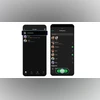 "Spotify's group chat feature")
Spotify's group chat feature (Image: Spotify)
Listen to This Article
Spotify is expanding its in-app messaging feature by adding support for group chats. According to Spotify, the music streaming platform is now allowing users to chat with up to ten people at once. The feature lets users discuss and share the songs, podcasts, playlists, and audiobooks they are listening to, without leaving the Spotify app.
In August last year, the company introduced Messages, a dedicated in-app space for sharing songs, podcasts, and audiobooks with friends and family.
Spotify’s group chats: How it works
According to Spotify, the new group chat option is part of Spotify’s ongoing effort to make its platform more social. Spotify users mostly shared music links outside the app, but the messaging feature, introduced earlier, brought those conversations into the app.
Spotify first launched direct messaging in August last year, allowing users to privately share what they are listening to. With group chats, the experience remains similar, but with some limitations. Users can only start a chat or add people they have previously interacted with on Spotify.
Users can start a chat on Spotify only with people they have previously interacted with on the platform, such as by sharing content, creating a collaborative playlist, joining a Jam session or using the Blend feature. If there has been no prior interaction, users cannot begin a conversation unless they invite the person through a shared link. Spotify’s approach is meant to keep conversations relevant and limit unwanted messages.
Also Read

 "apple, apple logo")
 "Tech Wrap January 29")
 "Windows 11")
 "Nothing Phone 3a series")
 "Moto G77, Moto G67")
Social features
Spotify’s group chat feature is part of Spotify’s effort to make listening more social. Over time, the platform has added features like podcast comments, following other users, and options to see what friends are listening to. Spotify has reportedly also said that messaging is not meant to replace sharing music on other apps, but to work alongside the ways users already discuss music outside Spotify.
Spotify said that messages are encrypted both at rest and in transit. However, the chats do not use end-to-end encryption, meaning Spotify can still access message content if required.
How to start a group chat on Spotify
- Open the Spotify app on a mobile device (the feature is not available on desktop).
- Tap the profile icon in the top-right corner.
- Select Messages from the menu.
- Choose New Message or Create group.
- Add users you have previously interacted with, or invite others using a shared link.
- Group chats can also be started from the share menu of a song, podcast, or audiobook by selecting the group chat option.
More From This Section

 "Google Project Genie (Image: Google)")
 "OpenAI, Amazon, investment")
 "Tim Cook, Tim, cook, Apple, Apple CEO")
Topics : Spotify music streaming Latest Technology News
Don't miss the most important news and views of the day. Get them on our Telegram channel
First Published: Jan 30 2026 | 11:36 AM IST