


Google rolls out desktop mode for eligible Pixel smartphones: How it works
As part of its March Pixel Drop, Google is enabling a desktop-style multi-window experience on Pixel 8 and newer devices via USB-C external display support
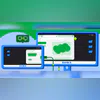 "Android devices extend to connected displays (Image: Android Developers Blog)")
Android devices extend to connected displays (Image: Android Developers Blog)
Listen to This Article
Google is rolling out a desktop-style interface for select Pixel devices as part of its March Pixel Drop. According to a report by The Verge, users with a Pixel 8 and newer phones can connect their device to an external monitor to access a multi-window desktop experience. The report also notes that the feature supports mouse and keyboard input.
Google, in a separate announcement, said connected display support has reached general availability with the Android 16 QPR3 release. The company described the feature as enabling users to connect supported Android devices to an external monitor and access a desktop windowing environment.
Desktop experience on external displays
When a supported Android phone or foldable is connected to an external display, a new desktop session starts on the connected screen, according to Google. Instead of simply mirroring the phone interface, the connected display shows a desktop-style environment.
Also Read

 "VSCO Galleries")
 "Apple M5 Pro and M5 Max chips released")
 "Alibaba group, Qwen, Alibaba")
 "MacBook Pro with M5 Pro and M5 Max chips launched")
 "Google's March Pixel Drop")
Google said apps can run in freely resizable or maximised windows, and users can multitask similarly to a desktop operating system. A taskbar shows active apps and allows users to pin apps for quick access.
As reported by The Verge, the feature works with the Pixel 8 and newer models, including the Pixel 9 Pro Fold and Pixel 10 Pro Fold. The publication also reported that the Pixel Tablet is receiving a desktop windowing feature that allows users to arrange and resize overlapping windows.
Google said that on devices that already support desktop windowing, connecting to an external monitor can extend the desktop session across both displays. In such cases, app windows, content and the cursor can move between the displays.
Built on Android 16 QPR3
Google said connected display support became generally available with Android 16 QPR3. With this release, the company finalised windowing behaviours, taskbar interactions and compatibility with input devices such as keyboards and mice.
The update also includes compatibility treatments intended to scale windows and avoid app restarts when switching displays, according to Google.
At Google I/O 2025, the company demonstrated connected display features and said it had collaborated with Samsung to bring a desktop windowing experience to devices across the Android ecosystem running Android 16 while connected to an external display.
More From This Section
 "Representative image: MacBook Air with M5")
 "d-broadband")
 "x, Twitter")
 "Anthropic")
 "Tech Wrap March 3")
Topics : Google Android Google Pixel Latest Technology News
Don't miss the most important news and views of the day. Get them on our Telegram channel
First Published: Mar 04 2026 | 3:35 PM IST